This page was translated automatically from French. Français
Keyzen in your browser
The extension fills in your IDs, 2FA codes, cards and forms with a local encrypted link, using the app installed on your PC.
- ChromeManual installation
- EdgeManual installation
- BraveManual installation
- OperaManual installation
- FirefoxUnsigned module · 128 and over
Manual installation. The extension is not published on browser extension shops. It is copied to your PC by Keyzen installer (folder %LOCALAPPDATA%\Keyzen\Extension), or downloadable from the client portal, and load in developer mode only once per browser. If Chrome or Edge then proposes to disable extensions in developer mode, choose to keep it.
Download extension 0.9.16
Needless if you have used installer: the extension is already in %LOCALAPPDATA%\Keyzen\Extension. Otherwise, archive Keyzen-Extension-0.9.16.zip and Firefox package Keyzen-Firefox-0.9.16.xpi are in your client portal, page "Download Keyzen", with their SHA-256 fingerprints.
Chrome, Edge, Brave and Opera
- Prepare the folderWith the installer, nothing to do. Version without installer: keep
coffre-fort-pc-hote.exenext toKeyzen.exe, then extractKeyzen-Extension-0.9.16.zipin a permanent file (for exampleDocuments\Keyzen\Extension). - Open the extensions page
chrome://extensions,edge://extensions,brave://extensionsoropera://extensions. - Enable the "Developer Mode"Switch on top right (in Edge, left).
- Load extensionClick on "Load extension unpacked" and choose the folder of the extension (the one that contains
manifest.json; its location is also indicated in the browser extension page of the application). Don't move that folder then. - Restart the browserCompletely, if it was open during the installation of Keyzen.
- Associate extensionClick on the Keyzen icon and then "Associate": a 6-digit code will appear in the browser and application. If they are identical, click "Authorize".
Firefox
Firefox package Keyzen-Firefox-0.9.16.xpi (Firefox 128 or more, in the customer portal) is not signed by Mozilla. Two possibilities:
- Test :
about:debugging→ "This Firefox" → "Load a temporary add-on...". The module is removed when Firefox closes. - Sustainable installation : only with Firefox Developer Edition, Nightly or ESR: in
about:config, setxpinstall.signatures.requiredonfalse, then install the file.xpi. Firefox standard rejects unsigned modules. - Then, in
about:addons→ Keyzen → Permissions, enable "Access your data for all websites".
Update extension
After an update of Keyzen : page des extensions → map Keyzen → button Reload, then reload the open tabs. The association is preserved.
What the extension does
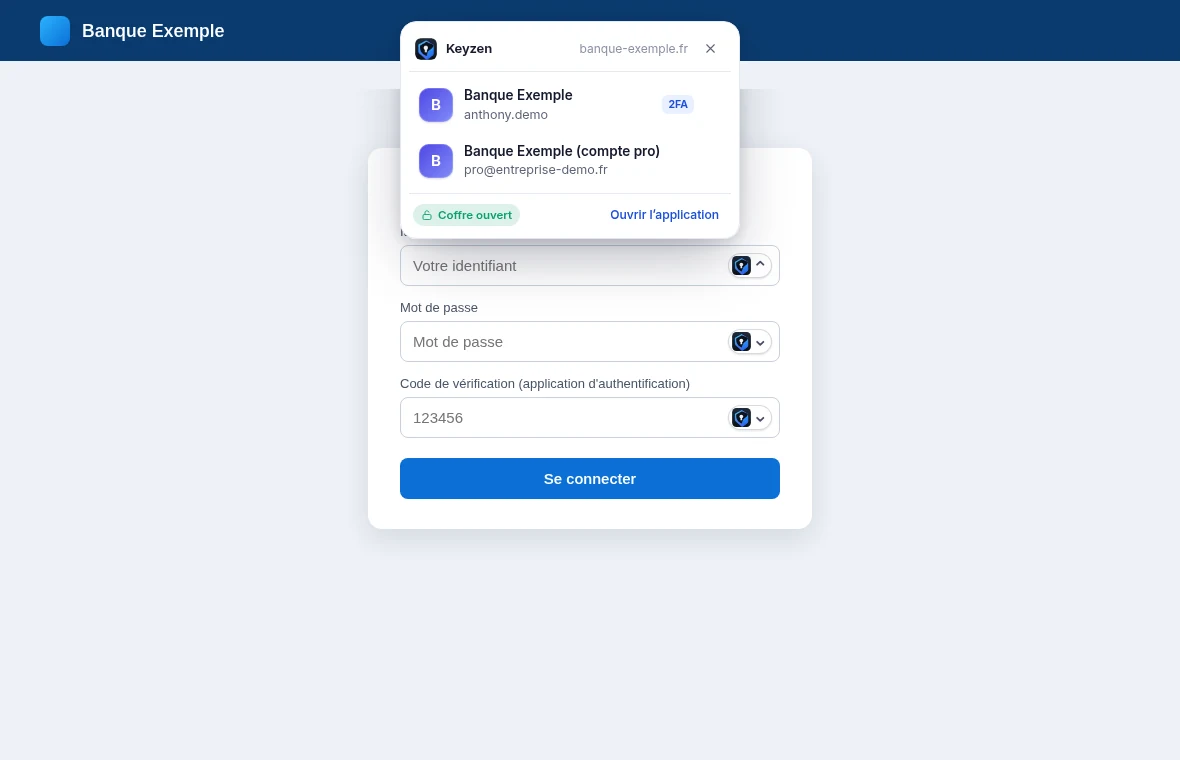
- icon and menu under the connection fields, fill in with one click (identifier, password, code 2FA).
- Secure password suggested for registration, proposal to save after login.
- Passkeys, bank cards, addresses and administrative forms.
- Strictly checking the domain against phishing.
- No network request: the extension only speaks to your PC application.
Ready to take hold of your passwords?
Keyzen for Windows 10 and 11 (64 bits). Keyzen downloads from your customer portal, once your subscription is active.
Already a customer? Download from the client portal