This page was translated automatically from French. Français
Functionality
No filling on a false site
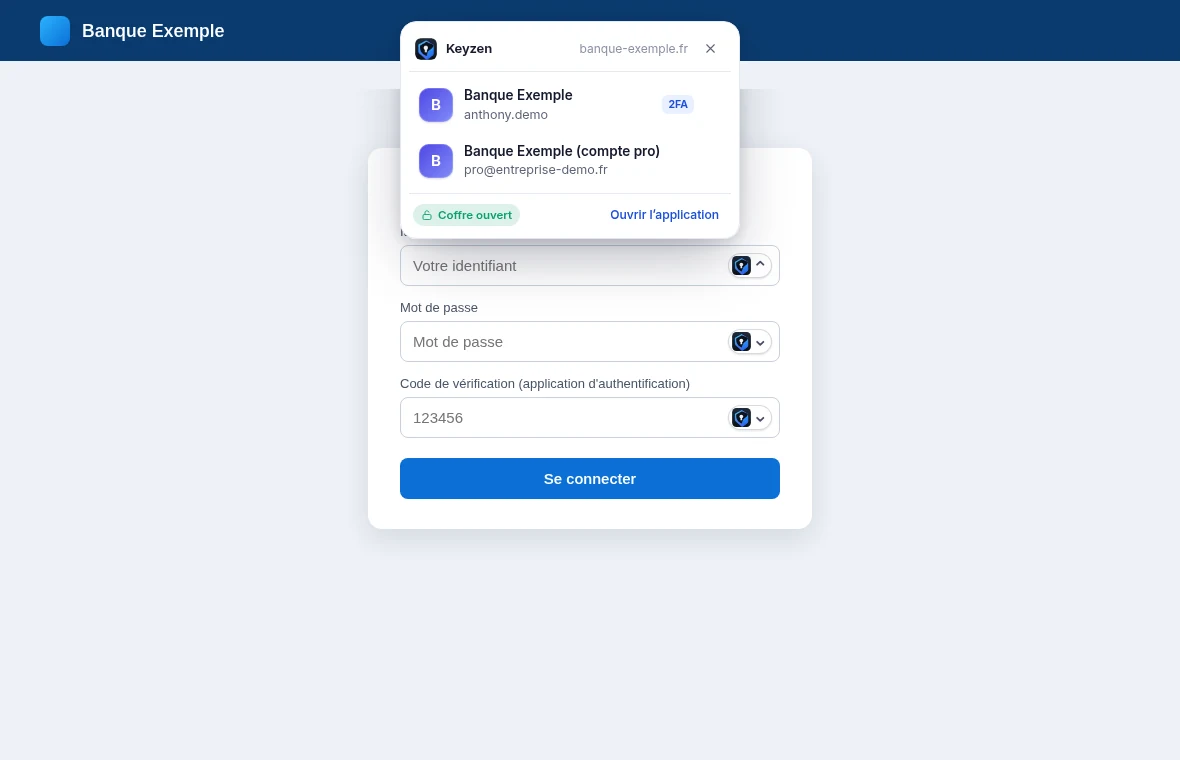
Before completing anything, Keyzen checks that the page belongs to the registered site. A site that imitates yours receives nothing.
Keyzen downloads from your customer portal, once your subscription is active. How to download
Strict verification of the field
- Filling requires same area that recorded, verified by the application from the address provided by the browser, not the page.
- The sames are refused:
banque-exemple.fr.securite-verif.com,banque-exemple-fr.com, Cyrillic letters, punycode... - Shared platform subdomains are separated (
a.github.io≠b.github.io). - An identifier registered in https is never filled in on an http page.
Against the traps in the page
- Nothing is proposed or filled in a integrated framework from another site (protection against "clickjacking").
- The menu is isolated from the page: it cannot read or simulate a click.
- On a non-encrypted page (http), the menu only opens with an explicit click, with a warning.
- In case of doubt: red alert ; still fill in two deliberate confirmations.
- Secrets are sent one by one, only for the clicked element, never in mass.

Ready to take hold of your passwords?
Keyzen for Windows 10 and 11 (64 bits). Keyzen downloads from your customer portal, once your subscription is active.
Already a customer? Download from the client portal