This page was translated automatically from French. Français
Functionality
Log in in one click
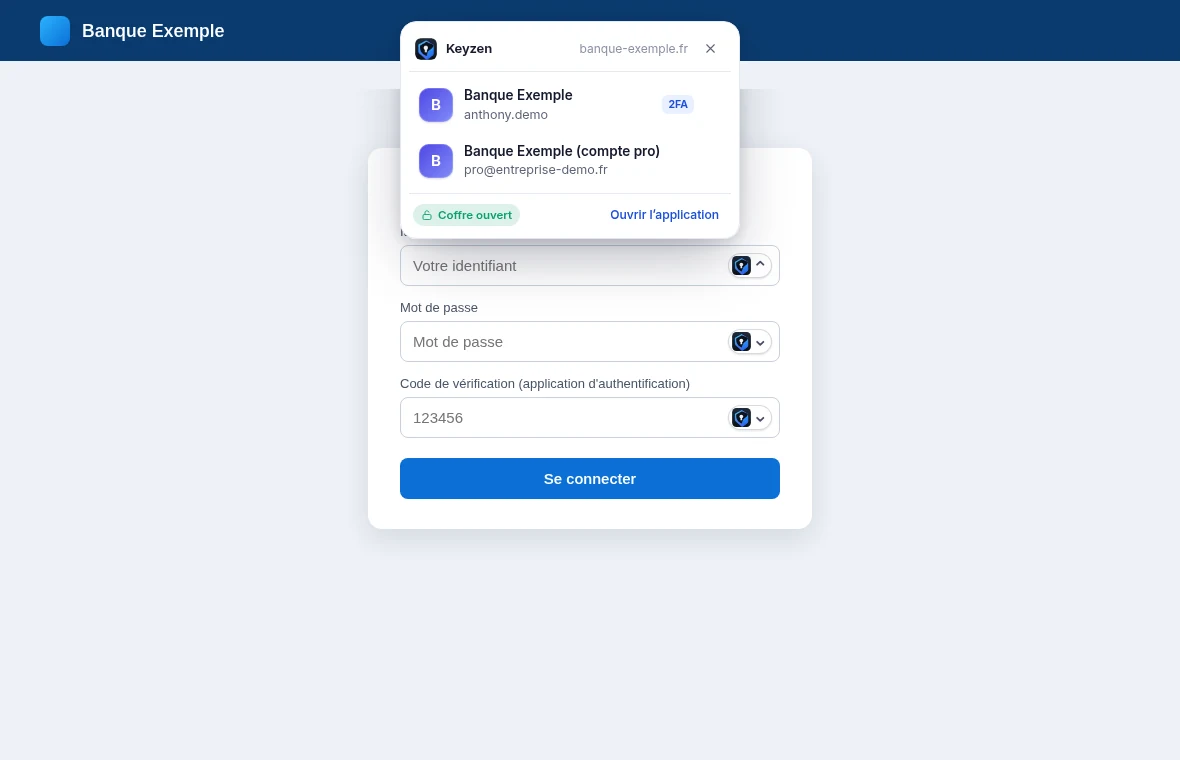
The Keyzen extension recognizes the fields of login, registration and password change, and fills in your credentials from your PC's safe.
Keyzen downloads from your customer portal, once your subscription is active. How to download
icon and menu under the field
- One Keyzen icon appears to the right of recognized fields, clear on light sites, dark on dark sites.
- Click in the field opens a menu with accounts of the site visited : one click fills the ID, the password and code 2FA if there is a field planned.
- The menu is also piloted on the keyboard (arrows, input, escape) and never covers the "Log in" button.
- Multi-step connections (e-mail, then password on the next screen): the selected account returns to the top of the next step.
Automatic connection and recent connections
- Automatic connection on Trusted Sites: Default disabled, it activates in the Settings then for each element.
- It only acts on the exact site in https, never in an integrated frame, with a single account or default account; a banner of 1.5 seconds allows to cancel, and only one attempt is made.
- The code 2FA is automatically sent only with the corresponding setting.
- Recent connections : the last 100 fills (site, account, date; password, code 2FA, passkey or card), encrypted in the vault, with "Erase history" and a setting to no longer note them.
Registration and change of password
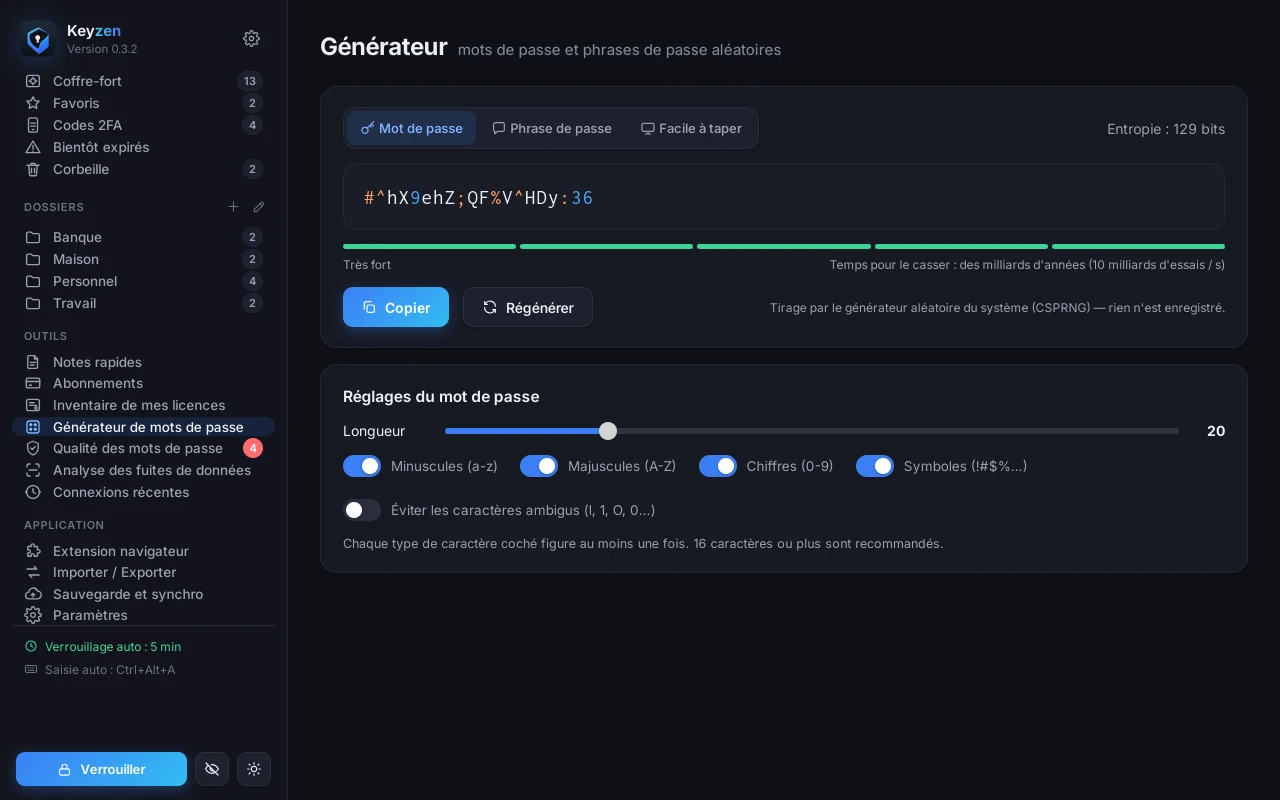
- On an account creation form, Keyzen offers a "Secure password suggested", with its strength displayed.
- Length (8 to 64) and adjustable character types; password fills in new field and its confirmationNever the "current password" field.
- After sending the form, a card "Save in Keyzen?" proposes to save or update the account, with name, identifier and editable folder.
- Buttons Save, Not now. or Never for this site.
Generator, quick search and input in applications
- Password generator (8 to 64 characters) and English-language pass phrases (3 to 12 words from a list of 7,776 words), with displayed entropy.
- Mode "Easy to type" : groups of 4 characters without ambiguous letters or numbers, for a password to be copied by hand, with its robustness indicator.
- Quick search from anywhere with Ctrl+Maj+Espace (modifiable).
- Automatic input in the active window with Ctrl+Alt+A (the account is chosen from the window title, out of windows run by admin), and entered in Windows applications with Ctrl+Maj+L (modifiable shortcuts).
- Option "Never use the clipboard" ; otherwise, copies are deleted automatically and excluded from the history of the Windows clipboard.
- Security issues : up to 5 per Identifier, with answers generated unrelated to your real life, offered on the registered site.

Ready to take hold of your passwords?
Keyzen for Windows 10 and 11 (64 bits). Keyzen downloads from your customer portal, once your subscription is active.
Already a customer? Download from the client portal