This page was translated automatically from French. Français

  • Encrypted on your PC
  • No cloud
  • Vault without an online account

Your passwords stay with you.

Keyzen is a local password manager for Windows. Your vault is encrypted and stored on your PC, never on a server. Automatic filling, 2FA codes, passkeys: all the simplicity of a great manager, without confiding anything to anyone.

Windows 10 or 11 (64 bits) · Downloading from the customer portal, after subscription · Read more

Keyzen logo: a blue shield protected by a lock
  • XChaCha20-Poly1305 + Argon2idModern encryption of the vault
  • Vault usable offlineNo telemetry
  • No online accountTo use the vault; e-mail only for subscription
  • Without director's rightsInstallation for your Windows account
Overview

Keyzen in images

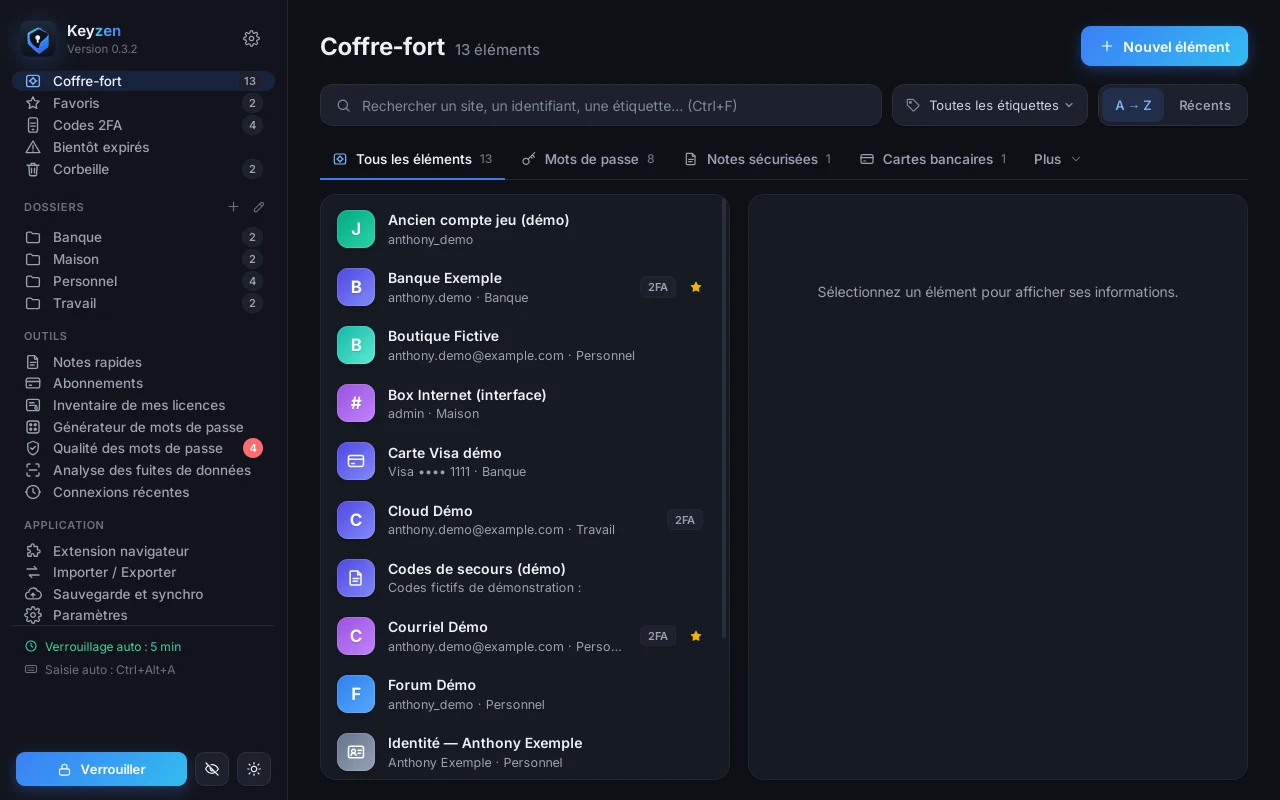
Keyzen main window: sidebar with folders and tools, list of safe elements
Keyzen safe on your PC.
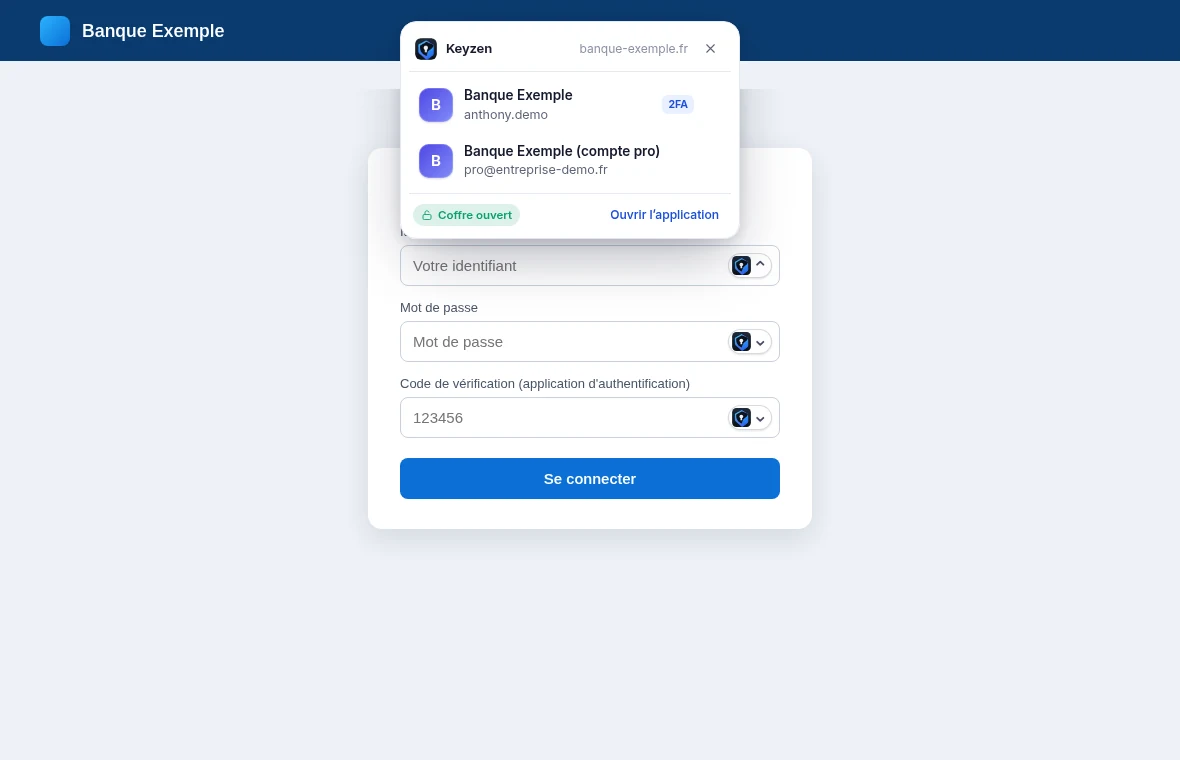
Keyzen extension menu under the login field of a login page
The extension fills your accounts with one click.
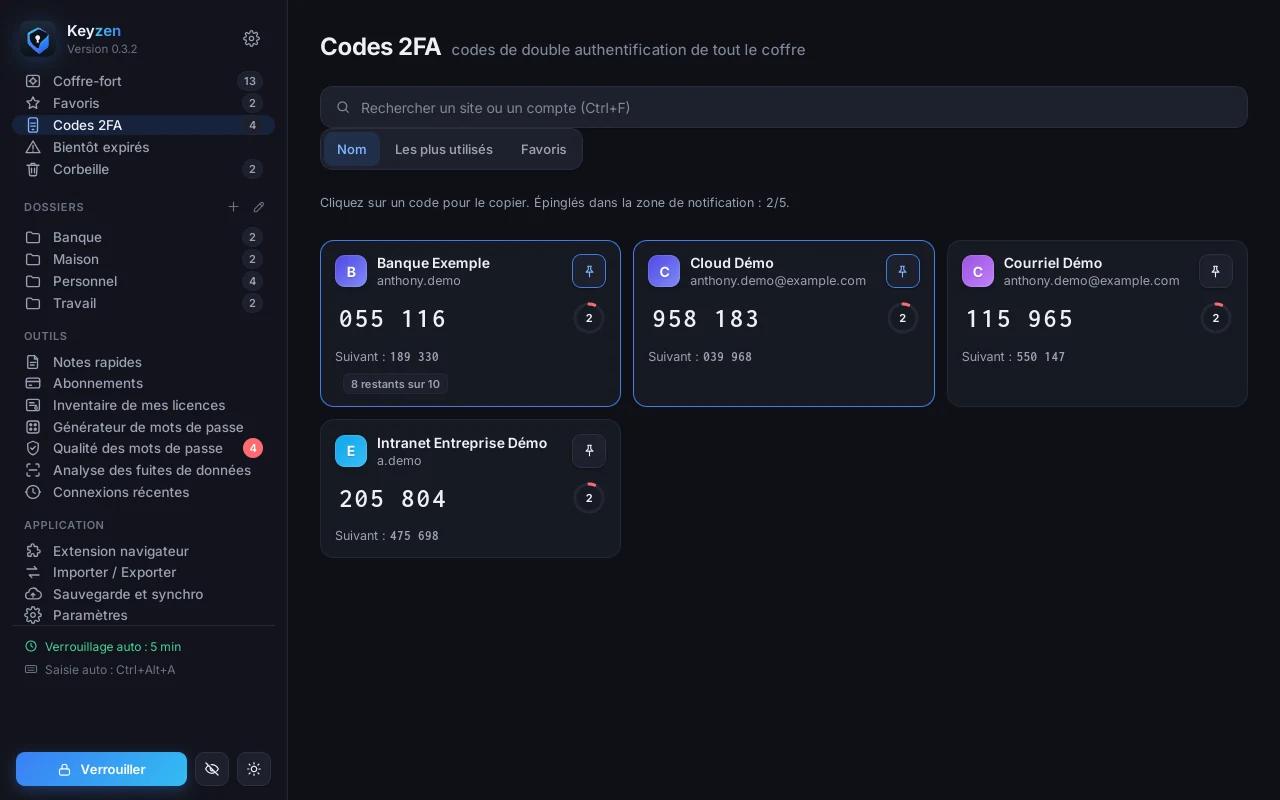
Keyzen 2FA Codes Section with tile codes and countdown
The 2FA Codes section.
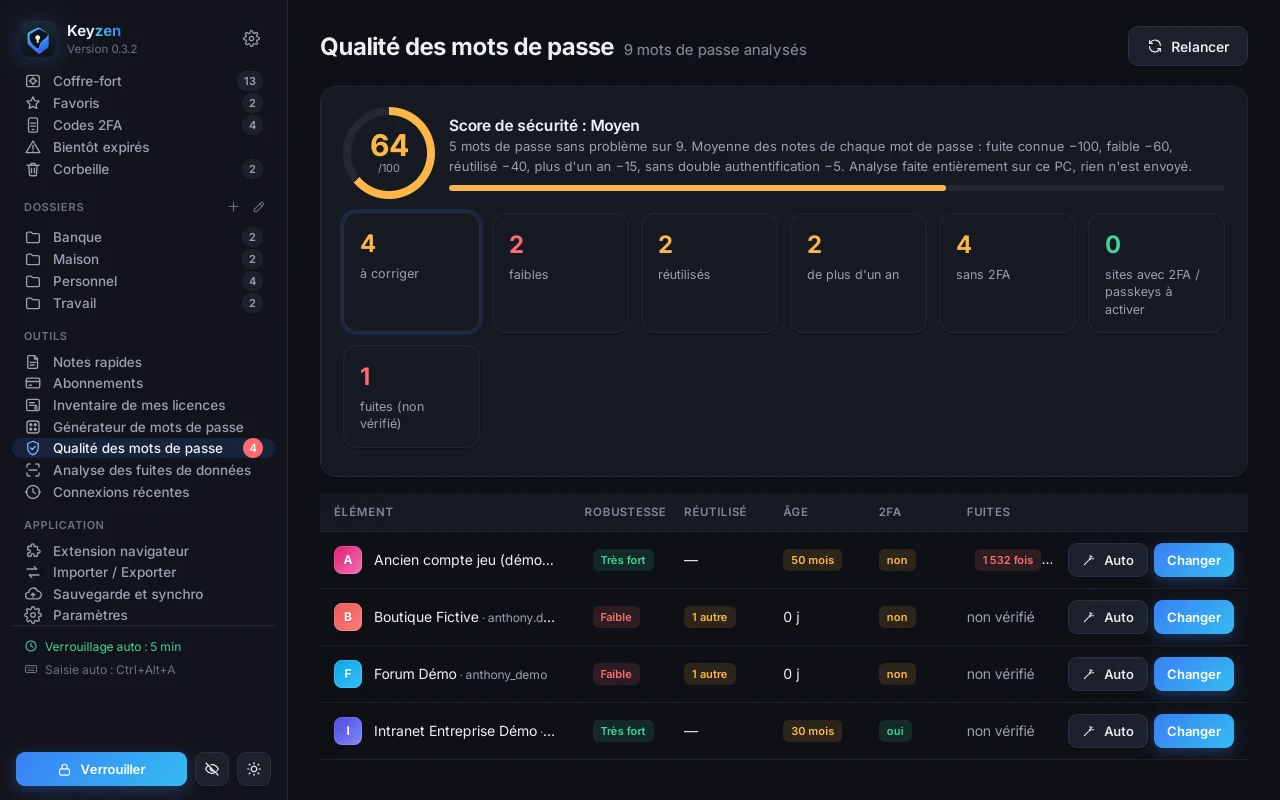
Keyzen security score out of 100 with passwords to fix
The security score.
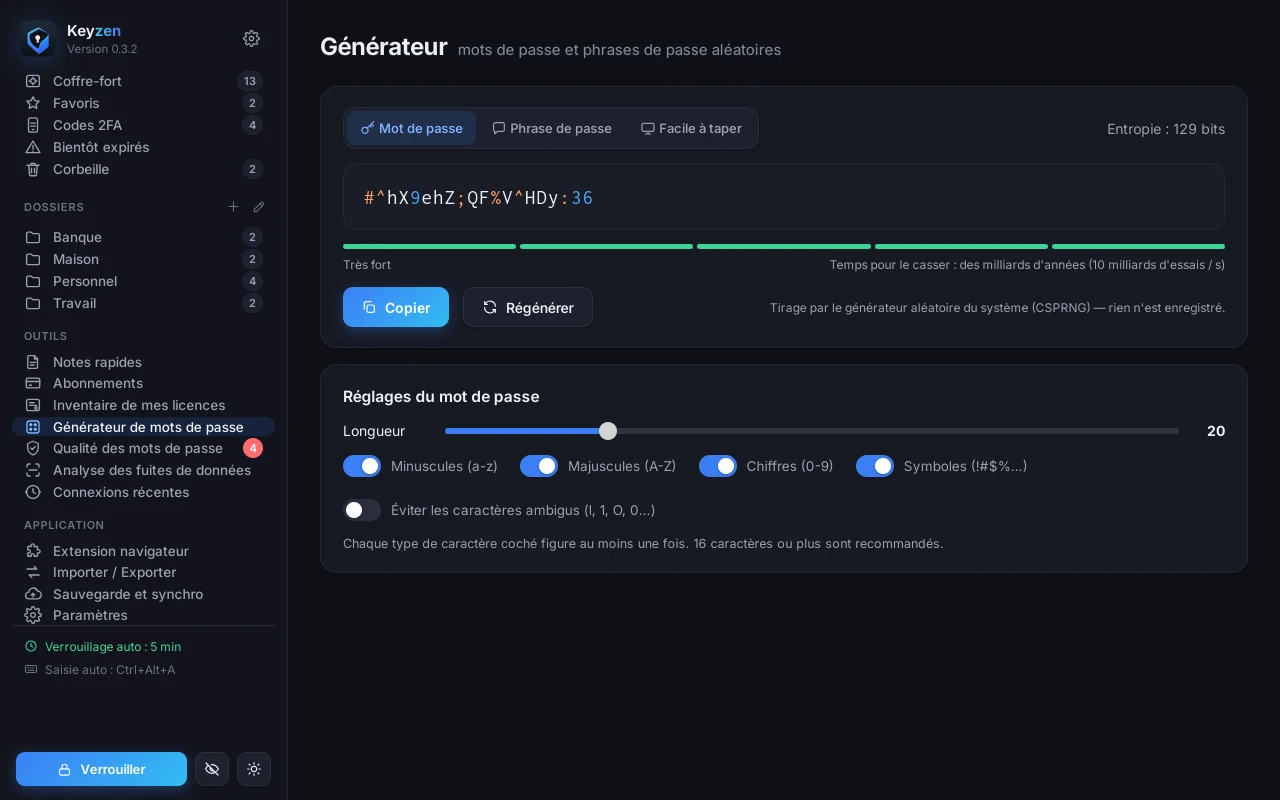
Keyzen Password Generator
The generator, with the "Easy to type" mode.
How it works

Ready in a few minutes

  1. Install KeyzenOn Windows 10 or 11, without administrator rights.
  2. Create your vaultChoose a main password and print your backup kit.
  3. Import your passwordsFrom your browser, NordPass, Bitwarden or KeePass.
  4. Add extensionAnd connect with one click on your sites.
Security

Modern encryption, a key you only have

Your main password is never saved or transmitted. It only serves to drift the key that opens your vault, on your PC.

Understanding Keyzen's security

Encryption of safe
XChaCha20-Poly1305
Derivation of key
Argon2id
Location of data (local version)
Your PC
Link to extension
Local, encrypted, coded
Telemetry
None
Local vs cloud

Two approaches, a clear choice

Comparison between Keyzen and cloud managers
CriteriaKeyzen (local version)Cloud Managers
Where's your vault?On your PC, encryptedOn the provider's servers
Online accountNone to use the vault (e-mail only for subscription)Required
Dependence on a third-party serverNoneYes
Synchronization between devicesBetween PC, by a shared folder of your choice (encrypted file)Automatic, online

See the full comparison

Pricing

Simple formulas

Keyzen Sync

Your vault synchronized between your PCs.

0,89 €incl. VAT / month

Billed monthly

8,88 €incl. VAT / year2 months free

10,68 € · i.e. €0.74 VAT per month, paid in one time

14,20 €incl. VAT / 2 years-20 %

17,76 € · or €0.59 VAT per month, paid at once

Automatic renewal · you can terminate at any time

  • All Keyzen Local
  • Online synchronization of the vault between your PCs, encrypted on your PC before sending: we can't read it
  • 50 MB of online encrypted storage for safe
  • History of the last 10 versions of the vault
  • Attachments stored on your PC, without online synchronization
  • Emergency access : up to 5 loved ones, with your consent and for a limited time
See details

Keyzen Cloud

Your vault and synchronized files.

1,20 €incl. VAT / month

Billed monthly

11,88 €incl. VAT / year2 months free

14,40 € · or €0.99 incl. tax per month, paid in one time

19,00 €incl. VAT / 2 years-20 %

23,76 € · i.e. €0.79 VAT per month, paid at once

Automatic renewal · you can terminate at any time

  • All Keyzen Local
  • Online synchronization of the vault between your PCs, encrypted on your PC before sending: we can't read it
  • 1 GB of online encrypted storage (safe deposit box and attachments)
  • Synchronised attachments between your PCs
  • History of the last 10 versions of the vault
  • Emergency access : up to 5 loved ones, with your consent and for a limited time
See details

Compare formulas

For businesses: Keyzen Teams, 2,19 € incl. tax per account and per month, from 2 people.

Frequently asked questions

Maybe you're wondering...

Where are my passwords stored?

With the local version of Keyzen, only on your Windows PC, in an encrypted safe with XChaCha20-Poly1305. The key is derived from your main password with Argon2id. No copy is sent to a server.

Do I need to create an account?

No, not to use the vault: the local version works without an online account. You install the application and create your vault directly on your computer. An e-mail address is only available for subscription.

Windows displays a SmartScreen warning at installation: Is this normal?

Yes. The Keyzen installer is not yet digitally signed, and Windows SmartScreen then displays a warning for any program that it does not know yet. That's not the sign of a problem. To continue, click on "Additional information", then on "Execute anyway".

I forgot my main password: what to do?

Reopen the vault with your recovery kit, then choose a new main password. Without the backup kit, nothing is recoverable: no one else knows the key.

All answers in the help center

Ready to take hold of your passwords?

Keyzen for Windows 10 and 11 (64 bits). Keyzen downloads from your customer portal, once your subscription is active.

Already a customer? Download from the client portal