This page was translated automatically from French. Français
Functionality
Protections for sensitive situations
Beyond encryption, Keyzen adds optional protections that you activate according to your needs.
Keyzen downloads from your customer portal, once your subscription is active. How to download
Enhanced unlocking
- Windows Hello (option): a real cryptographic link to the key protected by the TPM of this PC (or Windows if the PC does not have TPM), not a simple "yes/no". It adds to the main password, it does not replace it.
- FIDO2 / YubiKey Security Key (option): The vault opens with the main password and the key. The emergency kit always allows you to open without the key: keep it in a vault place. Windows Hello is disabled as long as the key is required. Emergency key possible. FIDO2 keys; requires Windows 11 22H2 or an updated Windows 10.
- Growing time after 3 wrong passwords; the real protection against an offline attack remains the cost of Argon2id
Under duress or in case of intrusion
- Constraint password (default disabled): a second password opens a safety deposit box decoy, without ever touching the real safe.
- Intrusion Alert (default disabled): after several bad passwords (3 default), local log encrypted and photo by webcam optional; alert to next unlock. No network.
- Keyboard spy detector (default enabled, approximate): before and during the main password entry, local search for known spyware, unsigned modules and debugger. Warning without blocking; it does not detect hardware recorders or all spy software.
Daily
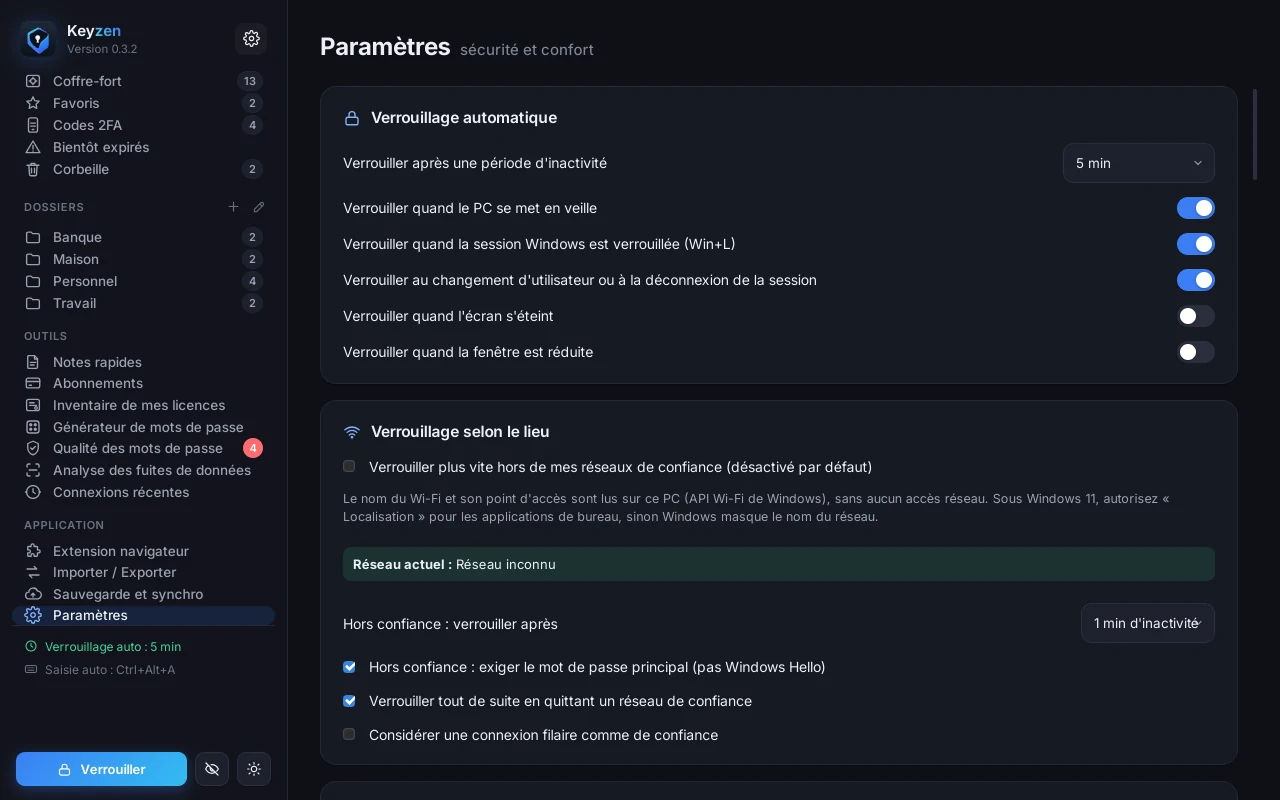
- Locking according to location (default turned off): out of your trusted Wi-Fi networks, faster locking and, at choice, main password required instead of Windows Hello.
- Integrity check at start-up : an old copy re-established, a file modified by another program or damaged is reported.
- Presentation mode : windows excluded from screen captures and sharings (activated by default); a shortcut hides secrets and blurs the window. Requires Windows 10 version 2004 or later.
- Automatic locking after inactivity (5 minutes by default), when Windows locks (Win+L) and the change of user (default activated), the standstill and the shutdown of the screen: each case is settled in the Settings.
Ready to take hold of your passwords?
Keyzen for Windows 10 and 11 (64 bits). Keyzen downloads from your customer portal, once your subscription is active.
Already a customer? Download from the client portal